DOTS Calculator
Struggling to compare your total against lifters of a different size? Enter your bodyweight, squat, bench, and deadlift into the DOTS Calculator for your score instantly. Below the calculator: the full formula worked out, benchmark levels from beginner to elite, and how DOTS stacks up against Wilks and IPF GL Points — so you know which score your federation actually counts.
DOTS Powerlifting Score Engine
Calculate official bodyweight-adjusted powerlifting performance, analyze lift contribution, and simulate target total goals.
Lift Contribution Balance
Percentage contribution of Squat, Bench Press, and Deadlift toward total powerlifting load.
🎯 Target DOTS & Total Planner ▼
⚡ Interactive "What-If" Scenario Simulator ▼
Test hypothetical lift or bodyweight changes live without modifying your current result.
📜 Saved DOTS History & Trend ▼
| Date | BW (Sex) | S/B/D | Total | DOTS | Action |
|---|
What Is a DOTS Score — And Why Should You Care?
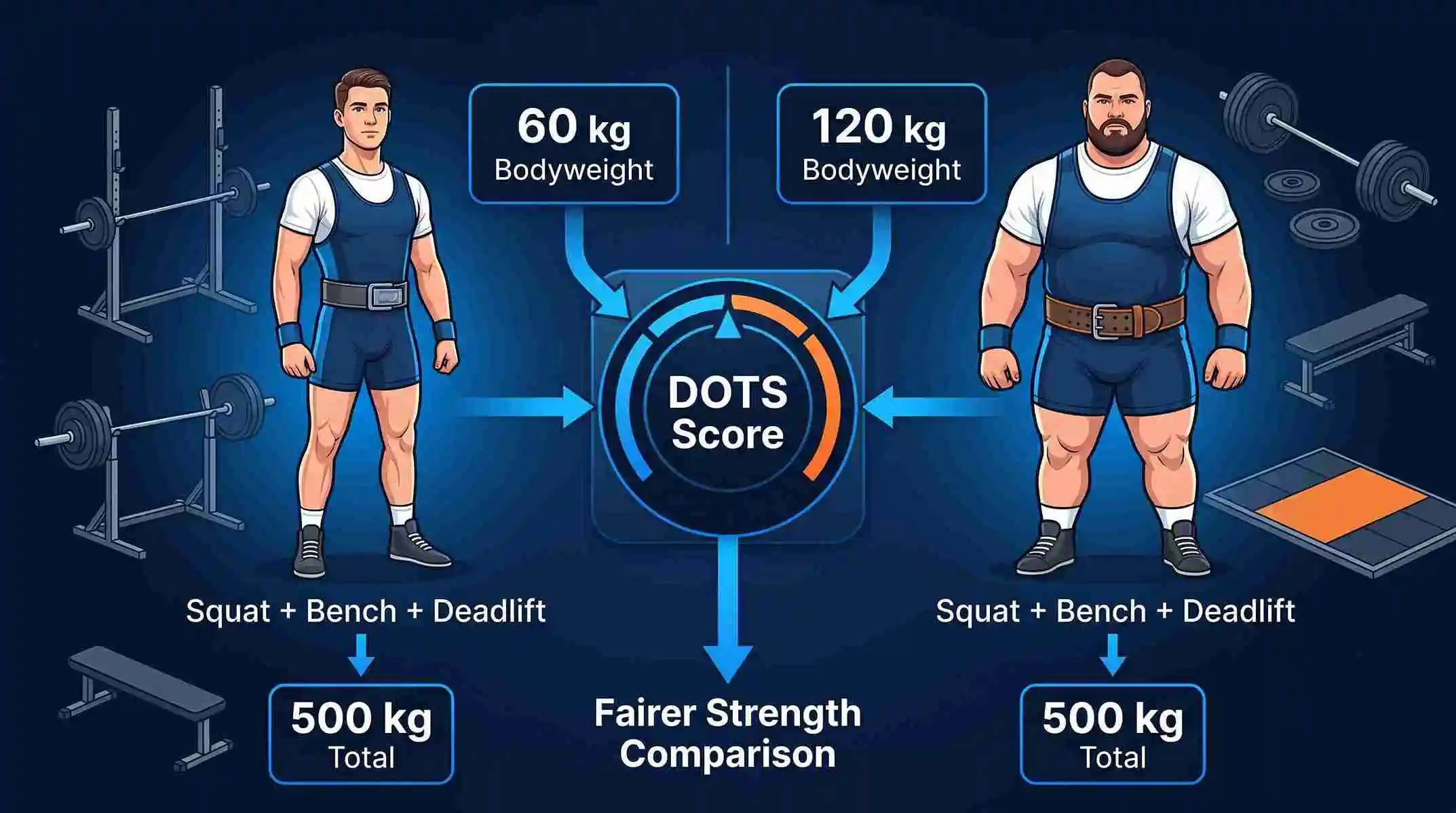
Here’s the problem most lifters run into: your total tells you how much you lifted, but it doesn’t tell you how strong you actually are compared to someone else. A 140 kg lifter and a 60 kg lifter putting up the same 500 kg total are not the same athlete. The lighter one is doing far more with far less body mass to work with — and if you’ve ever felt like raw totals made that comparison unfair, that’s exactly the gap DOTS was built to close.
DOTS takes your competition total — squat, bench, and deadlift combined — and adjusts it against your bodyweight. What comes out the other side is one number that lets a 59 kg lifter and a 120 kg lifter be measured on the same scale, fairly.
The formula isn’t some anonymous internet creation. It was built in 2019 by Tim Konertz, a German powerlifter and statistician working with the BVDK (Germany’s national powerlifting federation). He wasn’t starting from scratch — he was fixing a real, well-known flaw in the older Wilks formula, which quietly punished heavier lifters by scoring them lower than their performance actually deserved. Konertz rebuilt the math using a bigger, more current pool of competition data, and the result holds up far more evenly across the entire bodyweight range, from the lightest classes to the superheavyweights.
One thing worth clearing up: a lot of pages will tell you DOTS stands for “Dynamic Objective Team Scoring” like it’s an established fact. It isn’t, really. That expansion gets repeated a lot, but it’s not consistently backed by primary sources — technical projects that actually implement the formula (like OpenPowerlifting) just call it “the Dots formula,” no acronym attached. If accuracy matters to you, treat that name as a popular guess, not a confirmed origin.
What’s not up for debate is what the formula actually does — it runs your total and your bodyweight through a coefficient, and hands you back a single number you can trust across weight classes.
How to Use the DOTS Calculator (Without Getting a Wrong Number)
This is where most people trip up, and it’s an easy fix once you know what to watch for.
Enter your sex, your bodyweight, and either your total or your squat/bench/deadlift separately — the DOTS Calculator will add the three up for you if you go that route, which also makes it easier to spot a typo before it skews your result.
Pick one unit system and stick to it. This is the single biggest reason people get a score that looks “off.” The formula’s coefficients are built around kilograms behind the scenes, so if you enter your bodyweight in kg but your total in lb, the math breaks — not because the calculator is wrong, but because you gave it mismatched information.
If you’re not working off a competition total, use your most recent tested max for each lift, or run your numbers through a one rep max calculator to get a solid estimated 1RM if you haven’t maxed out recently. The output is only as reliable as what you type in — no calculator can fix inaccurate inputs.
The DOTS Formula, Broken Down
If you just want your number, the DOTS Calculator above already did the work. If you want to know how it got there — because trusting a black box isn’t really trusting it — here’s the actual math.
Your total gets multiplied by 500, then divided by a bodyweight-based denominator:
DOTS = Total (kg) × 500 ÷ (a·BW⁴ + b·BW³ + c·BW² + d·BW + e)
BW is bodyweight in kilograms. That denominator is a 4th-order polynomial — a curve shaped to match how real strength actually scales with bodyweight, instead of assuming a flat, straight-line relationship that doesn’t hold true in reality. The coefficients change depending on sex, because the strength-to-bodyweight curve isn’t identical for men and women.
| Coefficient | Male | Female |
|---|---|---|
| a | −0.000001093 | −0.0000010706 |
| b | 0.0007391293 | 0.0005158568 |
| c | −0.1918759221 | −0.1126655495 |
| d | 24.0900756 | 13.6175032 |
| e | −307.75076 | −57.96288 |
A real example: A male lifter, 83 kg bodyweight, 500 kg total.
Plug the male coefficients into the denominator:
(−0.000001093 × 83⁴) + (0.0007391293 × 83³) + (−0.1918759221 × 83²) + (24.0900756 × 83) + (−307.75076)
Working it term by term: −0.000001093 × 47,458,321 ≈ −51.87 · 0.0007391293 × 571,787 ≈ 422.57 · −0.1918759221 × 6,889 ≈ −1,321.86 · 24.0900756 × 83 ≈ 1,999.48 · plus −307.75
Add them up: −51.87 + 422.57 − 1,321.86 + 1,999.48 − 307.75 ≈ 740.57
Now finish it: 500 × 500 ÷ 740.57 ≈ 337.6 DOTS
That’s the exact number the calculator hands you in half a second — the manual version is here so you can see there’s nothing hidden in the process, not because anyone needs to calculate it by hand every time.
One limitation worth knowing: DOTS uses the same coefficients whether you lift raw or equipped. It doesn’t split the two the way IPF GL Points does — which is exactly why some equipped lifters and their coaches lean on IPF GL instead.
What Counts as a “Good” DOTS Score?
There’s no official rulebook that stamps a number as good or bad — but here’s roughly how the community reads the scale.
| Level | Male Score | Female Score |
|---|---|---|
| Beginner | Below 150 | Below 100 |
| Novice | 150–200 | 100–140 |
| Intermediate | 200–300 | 140–200 |
| Advanced | 300–400 | 200–280 |
| Elite | Above 400 | Above 280 |
Here’s the honest part most pages skip: these bands aren’t fixed. No governing body has locked in official cutoffs, so you’ll see “elite” set anywhere from 400 to 450+ depending on which site you’re reading. If you calculate your score here and another calculator puts you a tier higher or lower, you haven’t made a mistake — you’ve just run into two sources drawing their informal line in slightly different places.
And the label alone doesn’t tell the whole story. A 250 DOTS score after one year of serious training is a completely different achievement than the same 250 after five years of dedicated programming. Your age, training experience, and whether you’re benchmarking against tested or untested lifters all change what that number is really telling you.
DOTS vs. Wilks vs. IPF GL: Which One Actually Matters to You?
This is the question that trips people up most — three formulas, all claiming to solve the same problem, but not interchangeable.
| Formula | Best used for | Equipment-specific | Accuracy at heavy bodyweights | Official status |
|---|---|---|---|---|
| DOTS | Cross-federation comparison, personal tracking | No | Strong | Official in USAPL, USPA, WRPF, several GPC affiliates |
| Wilks / Wilks-2 | Historical comparison, legacy federations | No | Known bias at bodyweight extremes (original Wilks) | Legacy standard; still used by some federations |
| IPF GL Points | All IPF-sanctioned meets | Yes | Strong | Official IPF standard since 2020 |
The honest answer is: it depends entirely on where you compete. If you’re stepping onto an IPF platform, IPF GL Points are the only number that decides your placing and any Best Lifter award — DOTS won’t even be in the picture. If you compete in USAPL, USPA, WRPF, or most GPC-affiliated meets, DOTS is very likely already your federation’s scoring system. Wilks mostly matters now if you’re comparing against older record books or a federation that hasn’t updated its scoring.
If you’re not chasing federation-specific rankings, DOTS still works well as a general-purpose tracking tool — it correlates closely with IPF GL at most bodyweights and gives you a consistent number to follow over time, no matter who you compete for.
Turning Your DOTS Score Into Actual Training Progress
Most lifters treat the score from the DOTS Calculator as a one-time curiosity. That’s leaving value on the table. Used across a training cycle, it becomes a genuinely useful diagnostic tool.
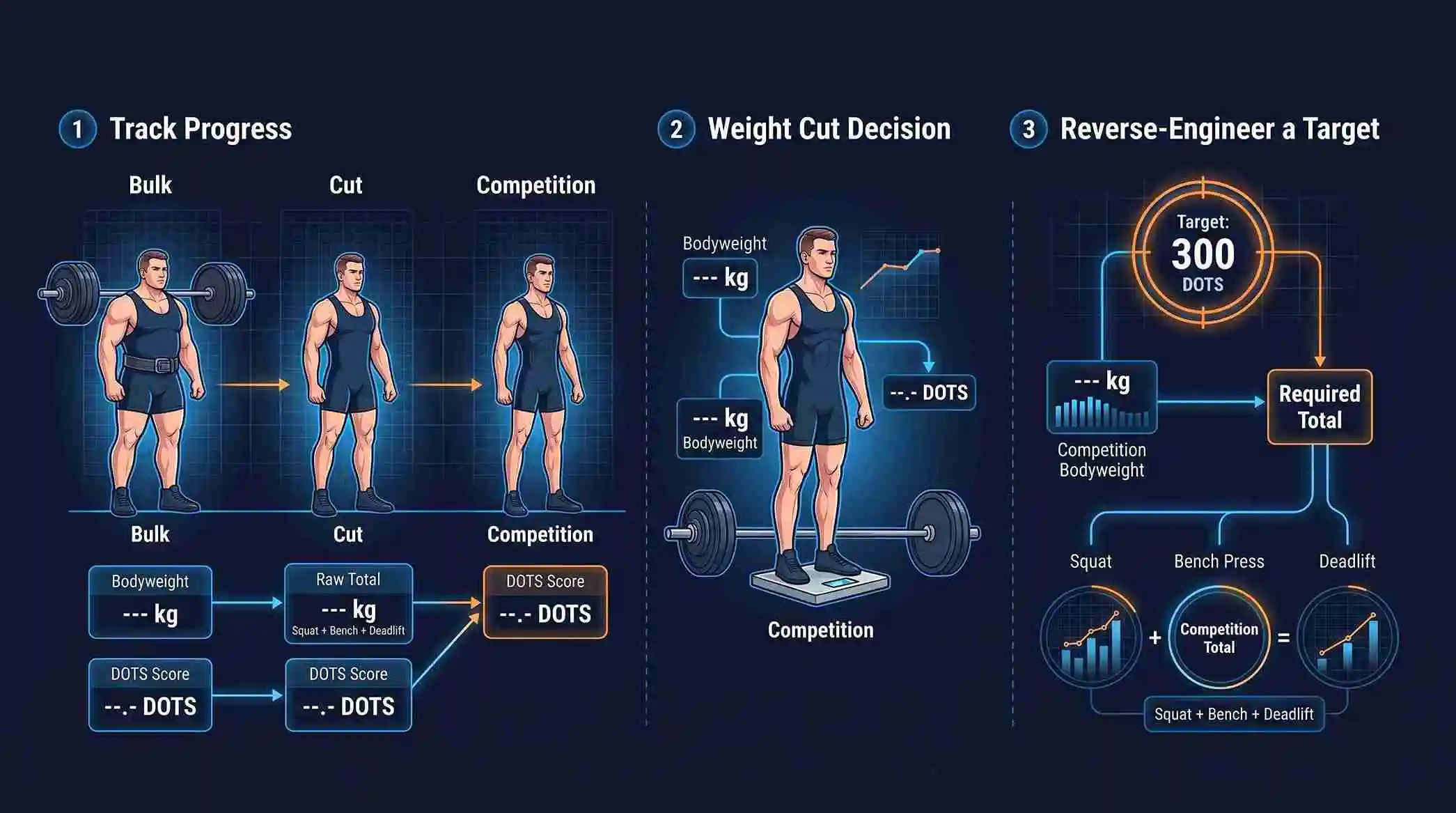
Because DOTS strips out bodyweight, you can compare your score from a bulk against your score from a cut and actually see how much of your total change came from real strength gain versus just bodyweight shifting up or down. Raw totals can’t separate those two things — DOTS can.
This also solves a common pain point around weight cuts before a meet: chasing a specific total can backfire if your bodyweight drops more than expected. Chasing a target DOTS score instead accounts for that — your total needs to hold up relative to whatever bodyweight you actually land at, not hit an arbitrary fixed number.
You can even reverse-engineer this. If you know the DOTS score you’re chasing and your competition bodyweight, you can work out the total you need to get there. Here’s roughly what that looks like for men aiming to hit 300 DOTS — the rough line between intermediate and advanced:
| Weight Class | Approx. Total for 300 DOTS |
|---|---|
| 59 kg | ~450 kg |
| 66 kg | ~505 kg |
| 74 kg | ~560 kg |
| 83 kg | ~615 kg |
| 93 kg | ~665 kg |
| 105 kg | ~715 kg |
| 120 kg | ~775 kg |
That steady climb across weight classes is a nice sanity check on the formula itself — a 120 kg lifter genuinely needs a much bigger total to match the same relative strength a 59 kg lifter shows, and that’s exactly the fairness DOTS was designed to build in.
If your score has stalled or is climbing slower than you’d like, don’t just stare at the total — compare your DOTS progression against each individual lift. It usually points straight to which lift is holding your total back, which is a far more useful signal than the total number alone.
Frequently Asked Questions
What does DOTS actually stand for?
It’s often labeled “Dynamic Objective Team Scoring,” but that’s not consistently confirmed by authoritative sources — some technical documentation for the formula uses no expanded name at all. What is confirmed is that Tim Konertz created it in 2019.
Should I enter my total, or each lift on its own?
Either works. Entering squat, bench, and deadlift separately is the safer bet — it lets the tool total them for you and makes a data-entry error easier to catch. If your bench number is a training estimate rather than a tested max, running it through a bench press calculator first will give you a more reliable figure to plug in here.
Can I use pounds instead of kilograms?
Yes — just don’t mix units. The formula runs on kilograms internally, so blending kg and lb in the same calculation will throw off your result even if every individual number you entered was correct.
Why did I get a slightly different score on another calculator?
Usually just rounding — either in the coefficients or in how the total was added up. If you’re comparing results from the DOTS Calculator with another tool, a difference of a point or two isn’t a red flag. A difference of a point or two isn’t a red flag. If two calculators disagree by more than that, recheck that you used the same bodyweight, total, and unit system in both.
Is DOTS the same score my federation uses for Best Lifter?
Depends where you compete. USAPL, USPA, WRPF, and most GPC affiliates use DOTS for it. The IPF uses IPF GL Points instead.
Does equipped lifting change the DOTS formula?
No — DOTS applies the same coefficients whether you lift raw or equipped, unlike IPF GL Points, which does split the two. Most federations using DOTS apply it specifically within raw competition.